Call of Duty 4: Modern Warfare 7754Grand Theft Auto IV 5026Call of Duty 2 345Call of Duty: Modern Warfare 2 246Call of Duty: World at War 196Black Ops 2 85Call of Duty: Modern Warfare 3 62Battlefield 2 42Call of Duty: Black Ops 37Counterstrike: Source 21Counterstrike Global Offensive 10Farming Simulator 2013 4Crossfire 3MODELS 2NEWS 1
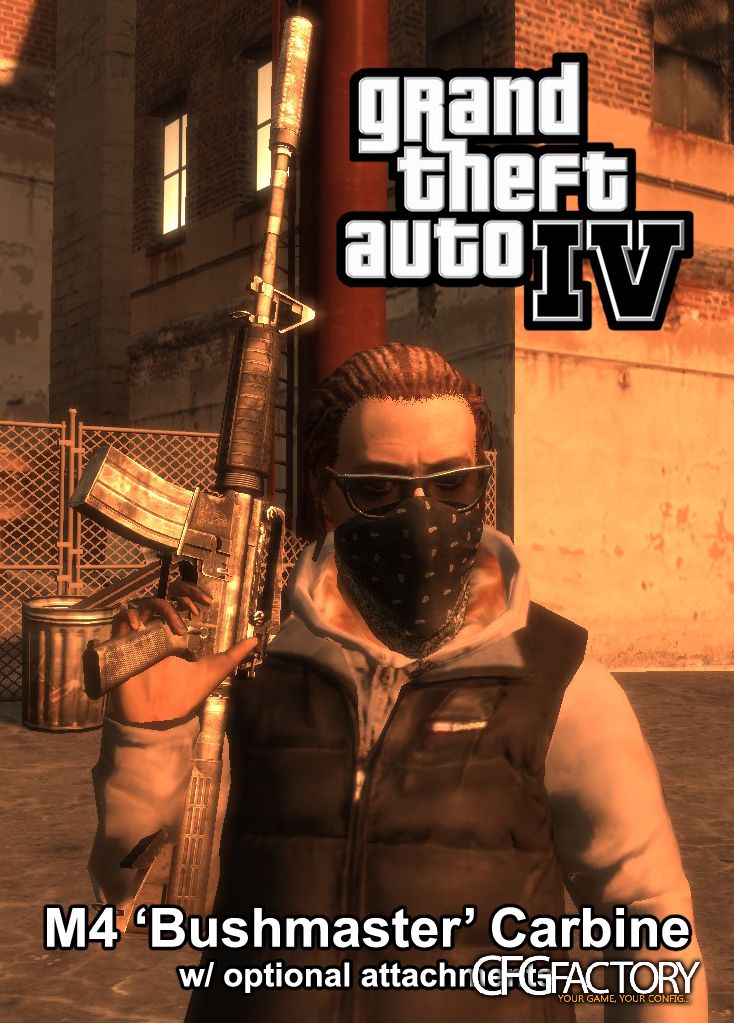
Seph's M4 Carbine (w/ attachment options)
Description
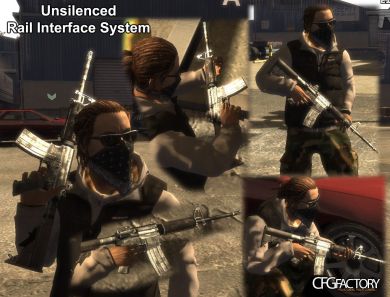
This is my second GTA IV release. This replaces the M4 with mine, and you can choose from 4 different versions:
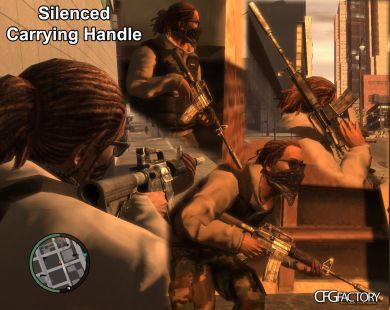
Silenced w/ Carrying Handle
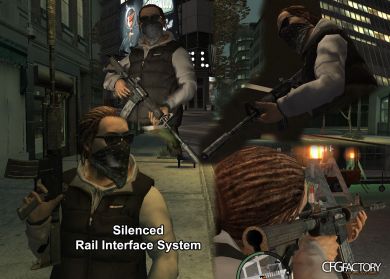
Silenced w/ RIS
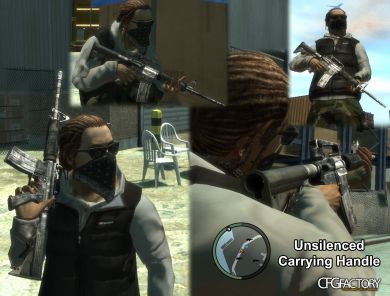
Unsilenced w/ Carrying Handle
Unsilenced w/ RIS
The silenced version DOES include custom sounds.
CREDITS
-------
Sephiris ------- Model, UV, Bake/Normals and Compile
Agent95 -------- Diffuse, Specular and Normal Edits. Modeled/textured the silencer as well.
xLongWayHome --- Created 'Silenced Fire' audio file
INSTALLATION
------------
1. Open SparkIV, and click Browse
2. If you're going with the Silenced M4, navigate to 'pc -> audio -> Sfx' in SparkIV. In there, find 'resident.rpf'
Double click that and then Import the 'WEAPONS.ivaud' file I suppled in the Silenced folder. Click Save at the top.
3. In the SparkIV directory, find 'models -> cdimages' and open 'weapons.img'
Import both the .wtd and .wdr file of the version you want. Hit Save THEN Rebuild at the top.
4. Close out of SparkIV completely and launch/play GTA IV.
Enjoy your new M4!!
*I've included the original WEAPONS.ivaud file in case you decide to switch from silenced version to an unsilenced. If you do decide to do this, follow step 2, but add that original .ivaud instead.
Replaces: M4
Silenced w/ Carrying Handle
Silenced w/ RIS
Unsilenced w/ Carrying Handle
Unsilenced w/ RIS
The silenced version DOES include custom sounds.
CREDITS
-------
Sephiris ------- Model, UV, Bake/Normals and Compile
Agent95 -------- Diffuse, Specular and Normal Edits. Modeled/textured the silencer as well.
xLongWayHome --- Created 'Silenced Fire' audio file
INSTALLATION
------------
1. Open SparkIV, and click Browse
2. If you're going with the Silenced M4, navigate to 'pc -> audio -> Sfx' in SparkIV. In there, find 'resident.rpf'
Double click that and then Import the 'WEAPONS.ivaud' file I suppled in the Silenced folder. Click Save at the top.
3. In the SparkIV directory, find 'models -> cdimages' and open 'weapons.img'
Import both the .wtd and .wdr file of the version you want. Hit Save THEN Rebuild at the top.
4. Close out of SparkIV completely and launch/play GTA IV.
Enjoy your new M4!!
*I've included the original WEAPONS.ivaud file in case you decide to switch from silenced version to an unsilenced. If you do decide to do this, follow step 2, but add that original .ivaud instead.
Replaces: M4
⇩ Download
Mirror: CFGFactory (DE)
File info
- AuthorSeph
- Uploader
 bARTZZ
 - Websiten/a
- UploadedJuly 7, 2013, 11:50 pm
- Size23.89 MB
- Downloads76
- Rating☆☆☆☆☆ 0/10